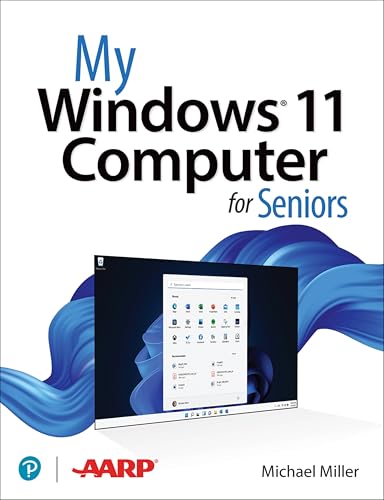
My windows 11 for seniors / Mike Miller.
Material type: TextPublisher: Hoboken : Pearson Education, Inc., 2022Edition: 1Description: xviii, 396 p.: ill; some col; 23 cmContent type:
 - text
- unmediated
- volume
- 9780137841707
- QA76.M436
| Cover image | Item type | Current library | Home library | Collection | Shelving location | Call number | Materials specified | Vol info | URL | Copy number | Status | Notes | Date due | Barcode | Item holds | Item hold queue priority | Course reserves | |
|---|---|---|---|---|---|---|---|---|---|---|---|---|---|---|---|---|---|---|
 Non-Fiction
|
Kapasa Makasa University Open Access | Kapasa Makasa University | Non-fiction | QA76.M436 Mil (Browse shelf(Opens below)) | Available | 301156 | ||||||||||||
|
Non-Fiction
|
Kapasa Makasa University Open Access | Kapasa Makasa University | Non-fiction | QA76.M436 Mil (Browse shelf(Opens below)) | Available | 301157 |
Close shelf browser (Hides shelf browser)

|
|
No cover image available No cover image available |

|
|

|
|
||
| QA76.H94 Cas HTML and CSS | QA76.H94 Cas HTML and CSS | QA 76 Lau Hand-Held Technology in Mathematics and Science Education: A Collection of Papers / | QA76.M436 Mil My windows 11 for seniors / | QA76.M436 Mil My windows 11 for seniors / | QA76.M55 Tho Exam Ref AZ-800 administering Windows server hybrid core infrastructure / | QA76.M55 Tho Exam Ref AZ-800 administering Windows server hybrid core infrastructure / |
Includes an index and glossary
"My Microsoft Windows 11 Computer for Seniors is an easy, full-color tutorial on the latest operating system from Microsoft. Veteran author Michael Miller is known for his ability to explain complex topics to everyday readers. Michael wrote this book from the 50+ point of view, using step-by-step instructions and large, full-color photos to cover all the most popular tasks. Miller will help you learn to: Configure Windows 11 to work better for those with vision and physical challenges Explore the web with Microsoft's Edge browser and Google Search Find, install, and use the best Windows apps Reliably connect to the Internet, both at home and away Shop safely online and avoid online scams Make and receive video and voice calls with Skype Connect your phone to your PC to text and make calls Stay connected with friends and family on Facebook, Pinterest, and Twitter Store, touch up, and share your pictures Send and receive email with Windows 11's Email app Keep track of all your files, and back them up safely Watch streaming video on your PC with Disney+, Netflix, YouTube, and more Discover great new music with Amazon Music, Apple Music, Last.fm, Pandora, and Spotify Fix common PC problems, and manage Windows updates"-- Provided by publisher.